


For schools & districts

More Than a License. A Full Chess Program for Schools.

Platform access, educator onboarding, classroom launch, student engagement, chess clubs, tournaments and ongoing support, all in one program.

Support From Launch to Growth.

A clear implementation path for your teachers, administrators and students.

Before launch

Week 1

Platform Access

Chess Magic

  • Activate the school account
  • Prepare administrator and teacher access
  • Support student account setup
  • Connect supported logins where relevant

Your school

  • Select a School Champion
  • Confirm teacher and student lists
  • Test platform access

Week 2

Onboarding & Training

Chess Magic

  • Guide teacher onboarding
  • Provide administrator guidance
  • Share login and launch materials

Your school

  • Invite teachers
  • Confirm dashboard access
  • Choose the first classes to launch

During launch

Week 3

Classroom Launch

Your teachers

  • Introduce Chess Magic
  • Run the first classroom session
  • Confirm students can continue learning

Chess Magic

  • Provide Customer Success support
  • Review activation and login data
  • Support technical needs

After launch

Week 4

First Usage Review

Together, we review

  • Teacher activation and student logins
  • Weekly usage and lessons completed
  • Average XP earned

Together, we plan

  • Identify challenges and support needs
  • Agree next steps to increase usage
  • Build on what is working

Support continues beyond the first month.

Plan → Onboard → Launch → Review

Week 1

Platform Access

Chess Magic

  • Activate the school account
  • Prepare administrator and teacher access
  • Support student account setup
  • Connect supported logins where relevant

Your school

  • Select a School Champion
  • Confirm teacher and student lists
  • Test platform access

Week 2

Onboarding & Training

Chess Magic

  • Guide teacher onboarding
  • Provide administrator guidance
  • Share login and launch materials

Your school

  • Invite teachers
  • Confirm dashboard access
  • Choose the first classes to launch

Week 3

Classroom Launch

Your teachers

  • Introduce Chess Magic
  • Run the first classroom session
  • Confirm students can continue learning

Chess Magic

  • Provide Customer Success support
  • Review activation and login data
  • Support technical needs

Week 4

First Usage Review

Together, we review

  • Teacher activation and student logins
  • Weekly usage and lessons completed
  • Average XP earned

Together, we plan

  • Identify challenges and support needs
  • Agree next steps to increase usage
  • Build on what is working

Swipe to view all four weeks →

Illustrative weekly plan. Exact timing is agreed with your school.

A Clear Rollout. Clear Responsibilities.

Chess Magic, the school and the School Champion each have a clear role in making implementation successful.

  • Chess Magic

    • Platform setup
    • Teacher onboarding
    • Technical support
    • Product updates
    • Success reporting
  • Your School

    • Select a School Champion
    • Invite teachers
    • Confirm and support student participation
    • Monitor progress
    • Encourage consistent weekly usage
  • School Champion

    • Coordinates onboarding
    • Confirms access and logins
    • Supports communication with teachers
    • Shares feedback with Chess Magic

You Don’t Need to Be a Chess Teacher to Run a Chess Magic Class.

From your first login to your first lesson, guided every step of the way.

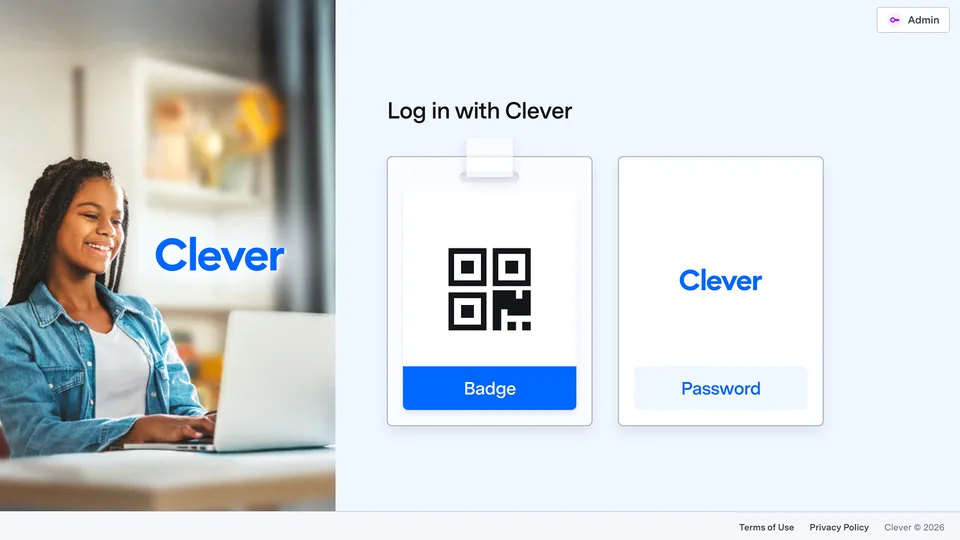
The Chess Magic login page with the Clever badge and password options

STEP 01

Log in with Clever

For schools using Clever: Open your Clever Portal, search for ChessMagic and click the ChessMagic icon. You’ll be logged in automatically.

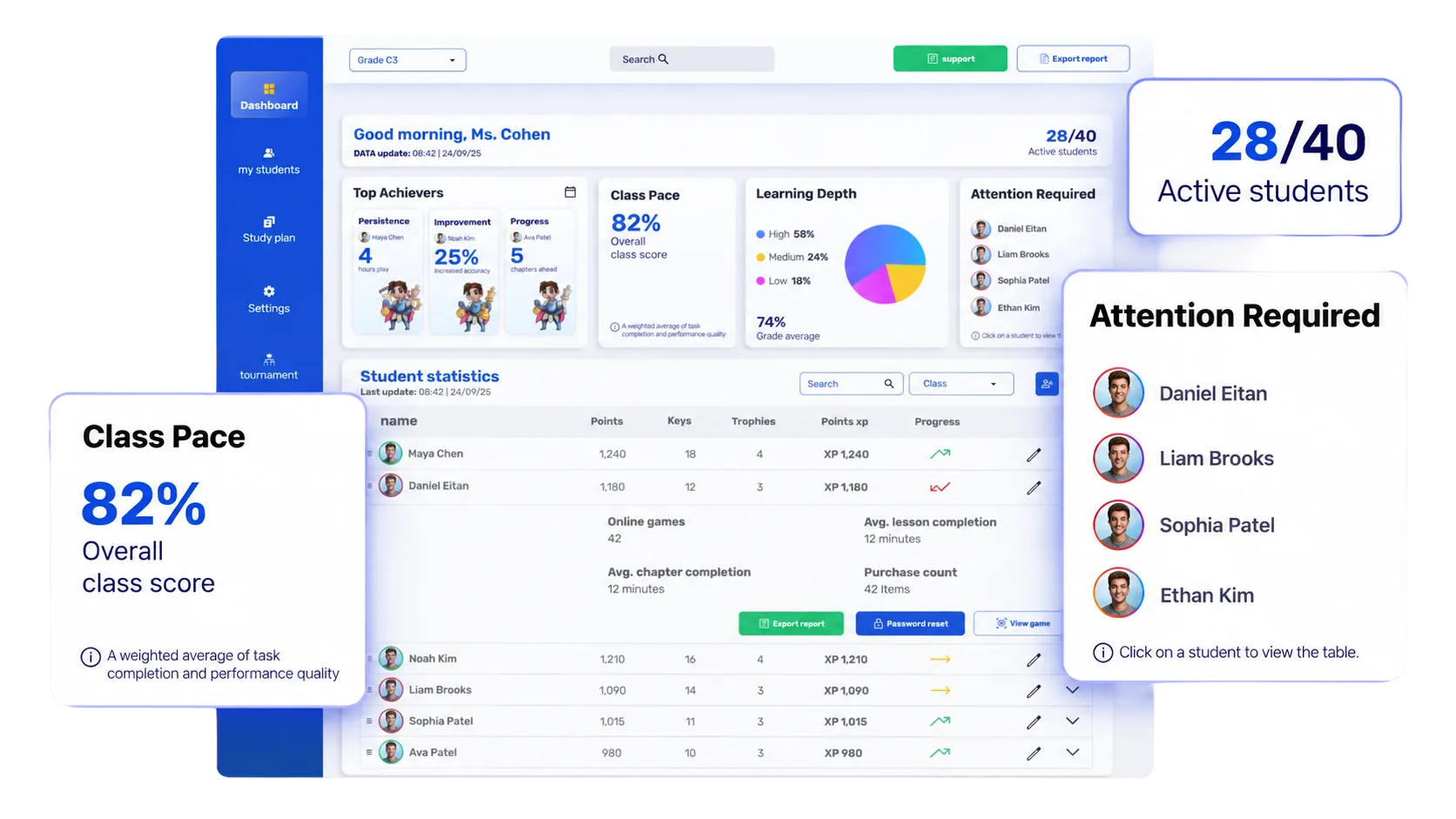
The Teacher Dashboard with class pace, learning depth and student statistics

STEP 02

Open the Teacher Dashboard

Access the central place for your classes, students and progress.

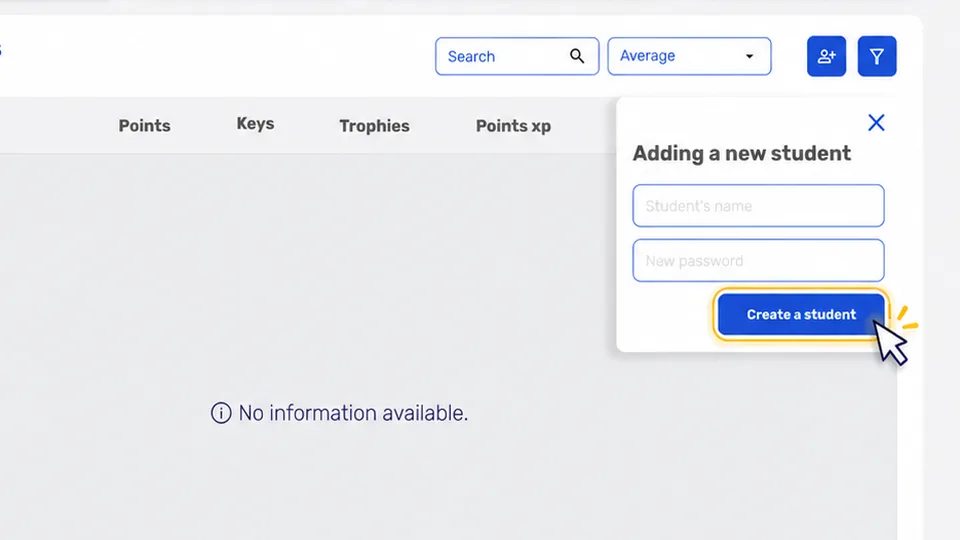
Adding a new student to the class roster

STEP 03

Set Up Your Class

Create or confirm your class and student roster.

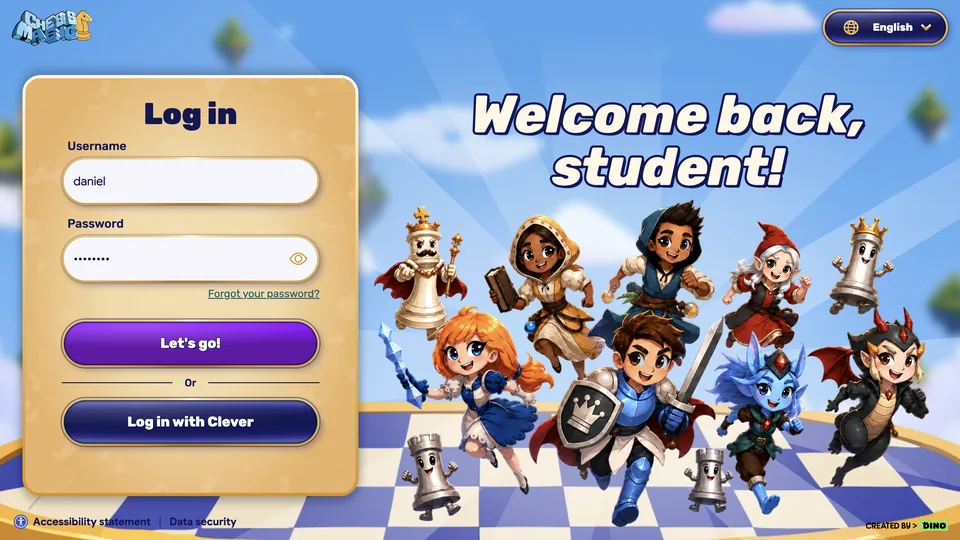
The student login screen

STEP 04

Confirm Student Access

Check that students can sign in using the login methods supported by your school, including Clever where applicable.

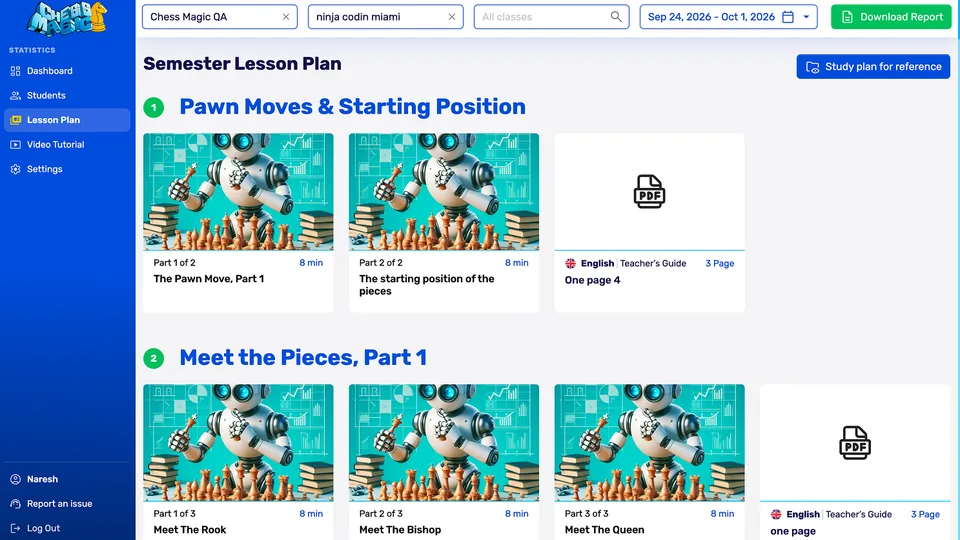
Choosing the first lesson

STEP 05

Prepare the First Lesson

Open your class, confirm student access and select the first lesson. You’re ready for the classroom launch.

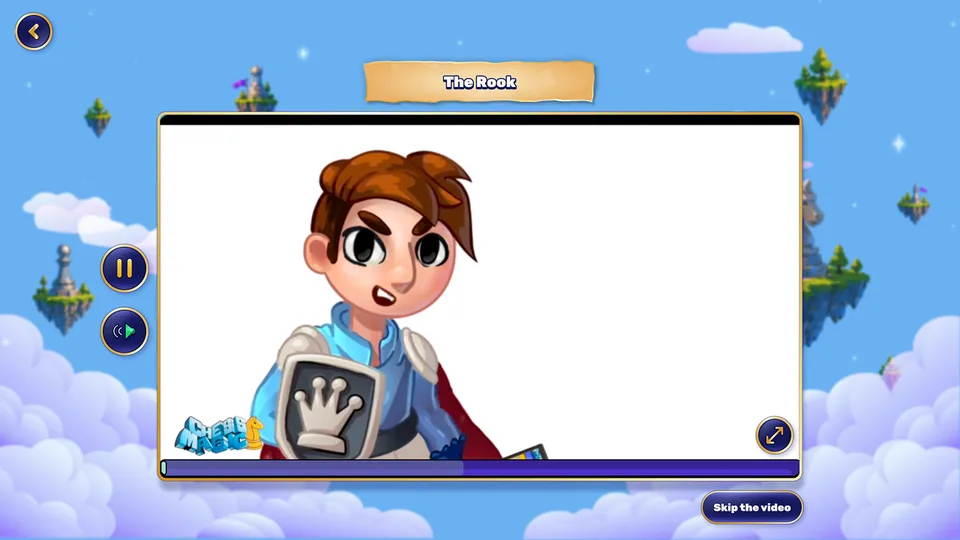
A student’s first Chess Magic lesson

STEP 06

Lead Your First Lesson

Watch a short learning video, complete interactive exercises and celebrate XP and rewards.

Example: 5 min to log in · 20–30 min to learn and practise · 5 min to celebrate.

Swipe through the teacher journey →

No prior chess knowledge required.

Need help logging in? Contact your School Champion or Customer Success.

See progress. Know where support is needed.

Follow student activity and learning progress in one clear dashboard, so you can see how your class is doing and who may need a closer look.

The Chess Magic teacher dashboard, with the class pace, the number of active students and the students who need attention
  • Participation

    See which students are active.

  • Learning progress

    Follow class performance and individual progress.

  • Support

    Identify students who may need extra attention.

Support that continues. A community that grows.

  • Here for your teachers.

    Get help beyond launch through email, Customer Success support and Teacher Office Hours.

  • Bring your school together.

    Build a school chess community through clubs, shared challenges and friendly competitions.

Questions Schools Ask

No. The learning journey, videos and exercises guide students, while teachers receive onboarding on the classroom workflow.

Most schools go from platform access to their first classroom session in about three weeks. Teacher onboarding itself is a single guided session in week two.

Yes. Students log in with the same account at home, on a computer, tablet or phone, and pick up their learning journey where they left off.

Yes. The dashboard shows participation and learning progress by class and by student, so administrators can see how the program is going at a glance.

Teachers can check and reset student access from the dashboard. If that does not solve it, our support team is a message away.

Send the details to your School Champion or our support team and we will add the student to the right class, usually within one school day.

Yes. Many schools launch with a few classes, review the first weeks of usage with us, and then add more classes or grades.

Yes. Beyond the classroom, Chess Magic helps schools run clubs, shared challenges and friendly competitions that bring the whole school together.

Ready to launch Chess Magic at your school?

From first setup to ongoing usage, we’ll help your team build a successful Chess Magic program.

Book a Meeting